
You have just arrived at Chronopost, or you simply have never activated your online CSE space. The portal csechronopost.fr provides access to ticketing, gift vouchers, and social assistance from the committee, but you must first get through the login step. Here’s how to access your account without wasting time on the most common blockages.
CSE Chronopost Portal and Chronopost Professional Space: Two Distinct Access Points
One point that regularly generates confusion is that the site csechronopost.fr has nothing to do with the client space or the professional space of chronopost.fr. The login credentials are not the same, and the company’s intranet access does not work on the CSE portal.
Specifically, your CSE login is based on the email address (professional or personal) that you provided when you were hired. The password is created at the time of the first activation. If you try to log in with your Chronotrace credentials or your intranet badge, the platform will systematically deny access.
Before any attempt, it is useful to log in to your CSE Chronopost account by first checking which email address is registered in your HR file. This address will receive the activation code and future notifications.

First Login to CSE Chronopost Account: Step-by-Step Activation
The activation procedure is the main source of blockages. It takes place in a few steps, but each one deserves attention.
Obtain the Activation Code
The activation code is provided by the CSE itself, not by Chronopost. Depending on the period, it arrives by email or internal mail. If you have not received it, contact a committee member or the CSE secretary directly. The HR services do not manage this part.
Create Your Password
Once on csechronopost.fr, click on the first login link. Enter the activation code and the email address associated with your file. The platform will then ask you to set a personal password.
Choose a dedicated password, different from your professional email password. This avoids conflicts in case of a reset on the company side.
Check Access to Your Space
After activation, log in for the first time to check that your profile is complete. You should see the sections for ticketing, gift vouchers, and social assistance. If any of these sections are missing, your profile may not yet be validated by the CSE.
Common Connection Issues on csechronopost.fr and Concrete Solutions
Even after activation, several situations can block access to the portal. Here are the most common cases and the steps to follow for each.
- Forgotten Password: use the “forgot password” function on the login page. A reset email is sent to the address linked to the account. Check your spam folder if nothing arrives in the following minutes.
- Activation Code Denied: the code has a limited validity period. If it has expired, request a new one from the CSE. Be careful not to confuse it with an old code received for a previous contract.
- Confirmation Email Not Received: check that the registered address is correct. A change of email address (after an internal transfer, for example) can cut off access without warning. The CSE must then update your file manually.
A detail often overlooked: if you are using a professional browser with network restrictions (company proxy, firewall), try using a personal browser on your phone. Some firewalls block the cookies necessary for the portal to function.
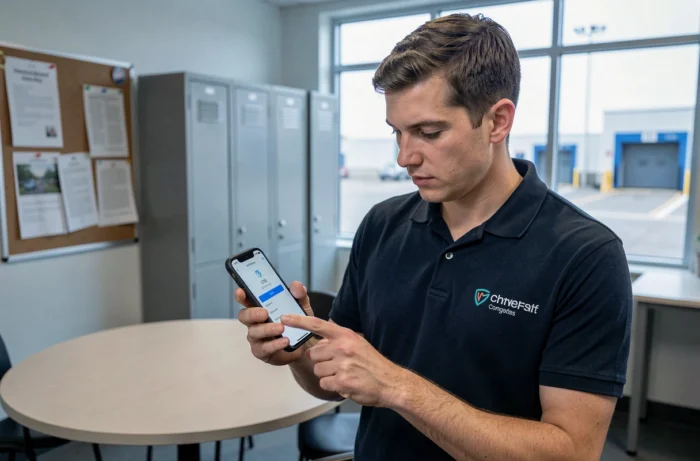
Access to the CSE Portal for Fixed-Term and Temporary Workers at Chronopost
Are you on a fixed-term contract or a temporary assignment at a Chronopost site? You have the right to access the CSE portal. Employees on permanent, fixed-term, and temporary contracts currently in effect have the same activation procedures.
In practice, the CSE adapts its procedures to provide credentials to all types of contracts. Request your activation code as soon as you start your contract, as processing times may vary.
For short contracts, one point deserves attention: upon contract expiration, access to the portal is generally disabled. If you return on a new contract, you will likely need to request a new activation code. The old one will no longer be valid.
Visible Benefits on the CSE Chronopost Account: Limits and Services
Once logged in, the account displays the benefits you are entitled to. The CSE Chronopost offers negotiated rates for ticketing (cinema, parks, shows), gift vouchers for events, and social assistance (back-to-school, vacations, emergency situations).
The URSSAF exemption ceiling is set at 200 euros per employee per event in 2026. The portal automatically adjusts the displayed amounts to comply with this threshold. If you do not see an expected benefit, this ceiling is often the reason.
Vacation subsidies, birth bonuses, and emergency assistance are accessible via online forms with the submission of supporting documents. Processing times remain short thanks to dematerialization.
The portal csechronopost.fr therefore centralizes all these services on a single interface. Keeping your credentials up to date and regularly checking your profile remains the best way not to miss out on a benefit you are entitled to.